Automated RGV Systems
Automated RGV.
Connected stations.
Move pallets, coils and workpieces along a fixed rail route. Design the vehicle, loading interface and station controls around one agreed transport cycle.
Start where the load
changes hands.
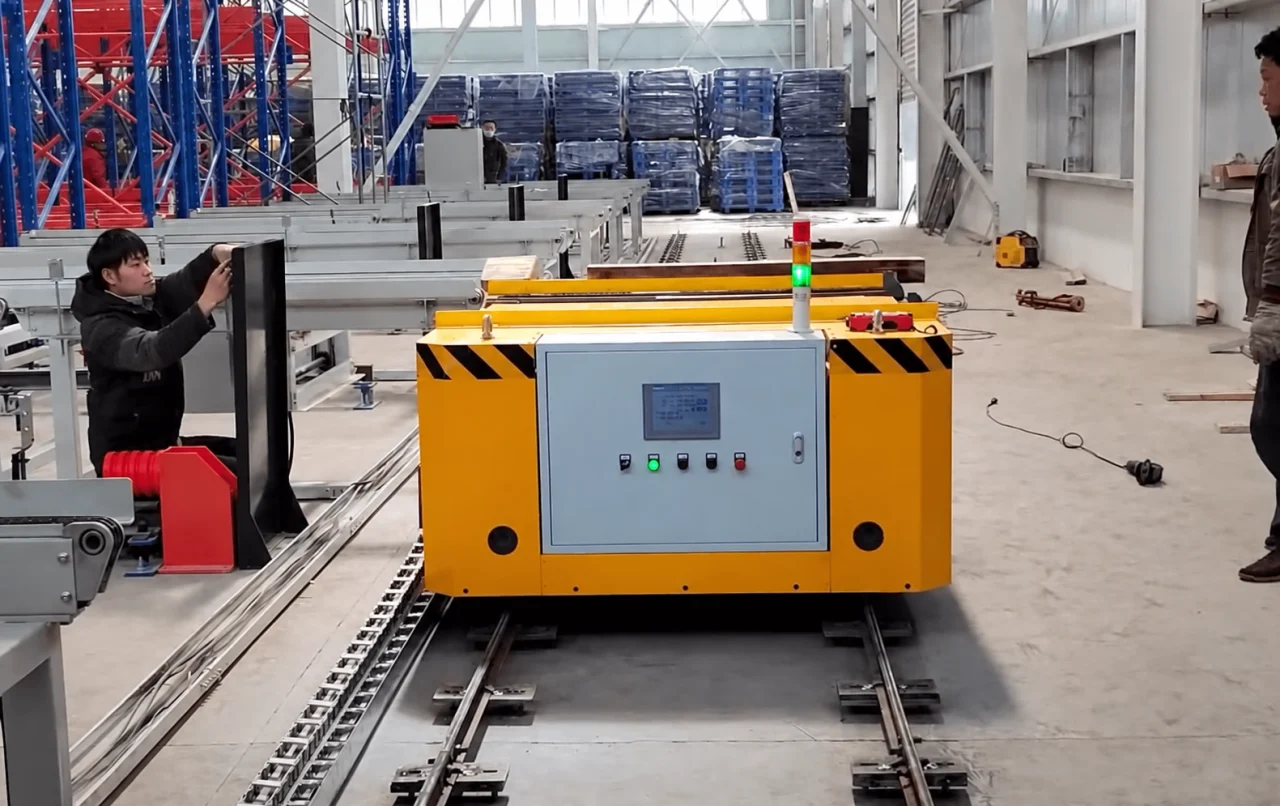
The rail fixes the travel path. The loading interface determines what the system can actually deliver to each station.
Transfer across the gap.
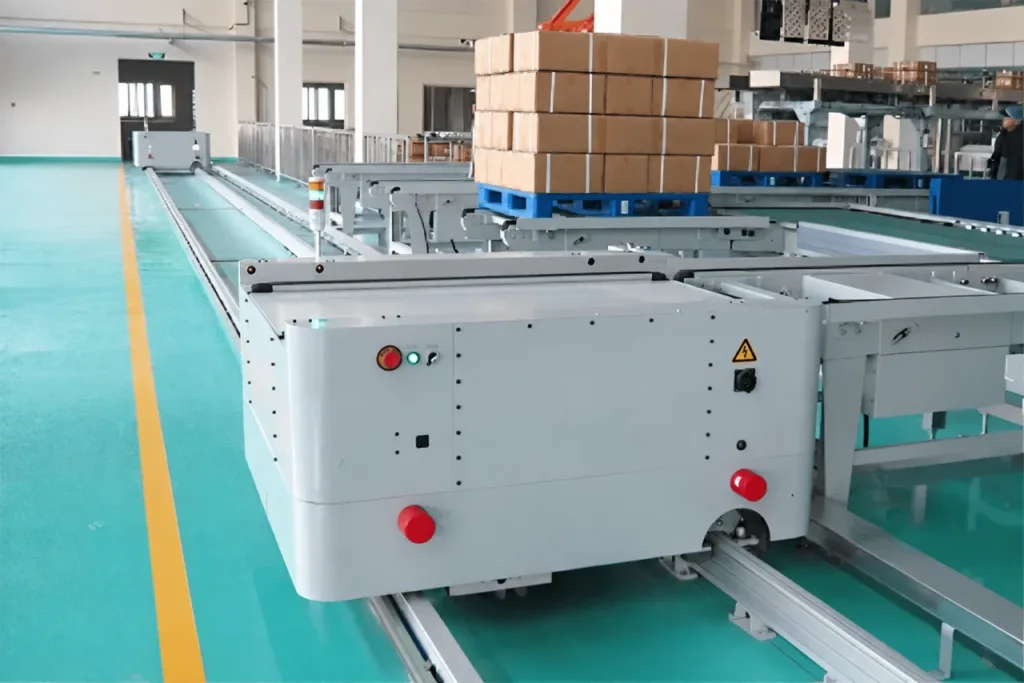
Powered rollers or chains move a compatible load base between the RGV and a fixed conveyor. Match the transfer direction and underside support.
Interface details
- Agree deck height, gap, alignment tolerance, conveyor speed and load stops. A damaged or unsuitable pallet can interrupt an otherwise correct cycle.
- Confirm that the complete load has crossed, the transfer mechanism is clear and the load is retained.
Match the support and pickup.
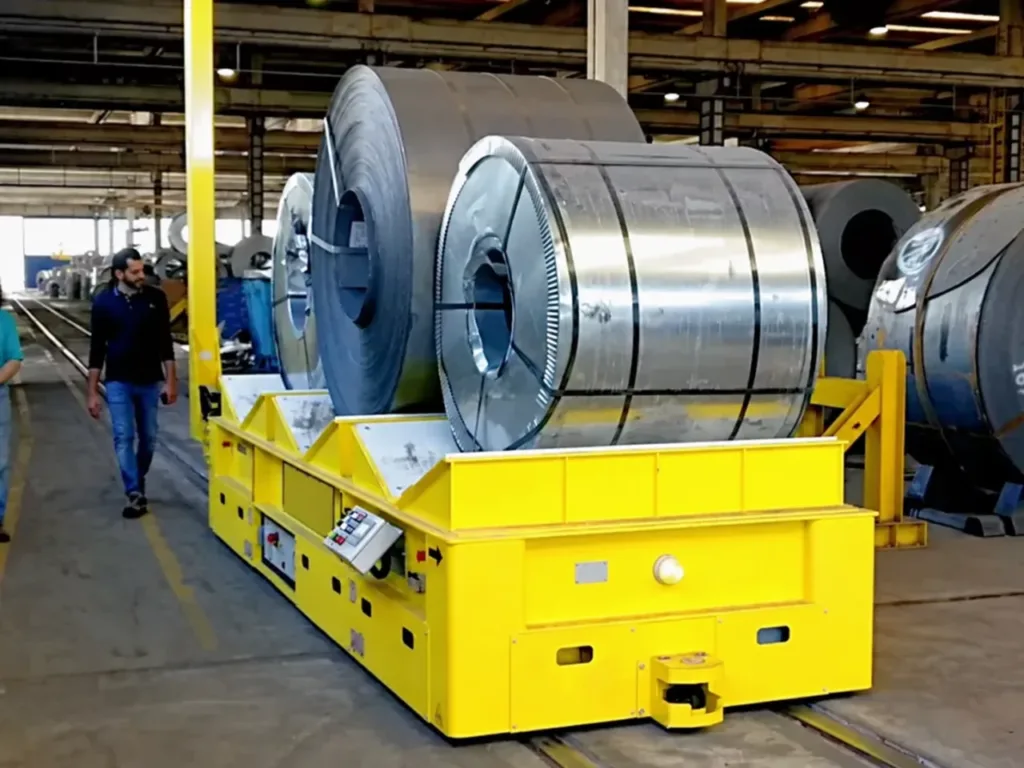
A shaped saddle supports the coil during travel. Loading may use a crane, a lifting saddle or a powered transfer arrangement, according to the station.
Interface details
- Provide coil mass, diameter, width, orientation and permitted contact surfaces. Design the support and restraint for the full range.
- For an automatic pickup, match the lifting stroke and support clearances to the receiving stand. A saddle alone does not provide automatic unloading.
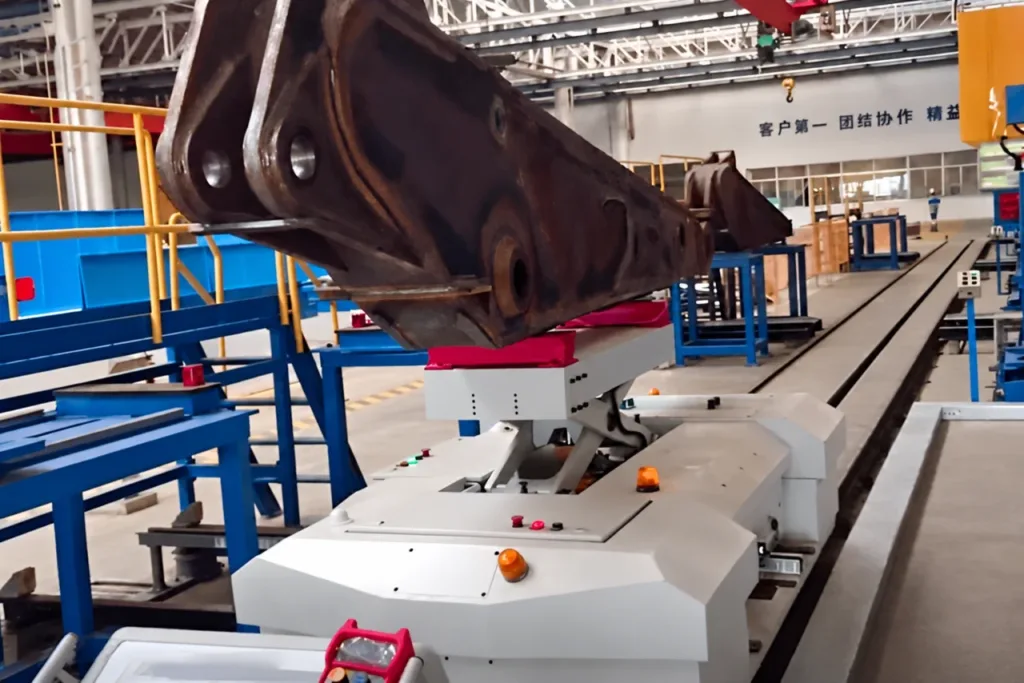
Design around the contact points.
Fixtures locate an irregular workpiece for the next operation. A flat deck needs external loading; pickup, lift or push-pull functions require a defined station interface.
Interface details
- Show support points, centre of gravity, restraint and the combined weight of load and fixture.
- Check access, working height and whether the fixture travels with the part or remains at the station. Specify any automatic clamp or release function.
01How is an automated RGV different from a rail cart or an AGV?
A rail cart describes the vehicle and its physical guidance. An automated RGV adds defined tasks, station interfaces and control sequences. An AGV follows a guided route without these fixed rails. Choose from the route and handling task; radio remote control by itself does not make a cart an automated system.
02Does this include warehouse shuttles and automated storage?
An RGV can connect pallet conveyors or storage-system entry points. In-rack shuttles, stacker cranes, storage software and the wider warehouse flow are a separate scope. Share the complete material-flow layout if the transport system must interface with them.
See the handoff.
Follow the sequence.
The vehicle travels along the rails, then its onboard conveyor transfers the load to fixed equipment. Each movement depends on the station and load state.
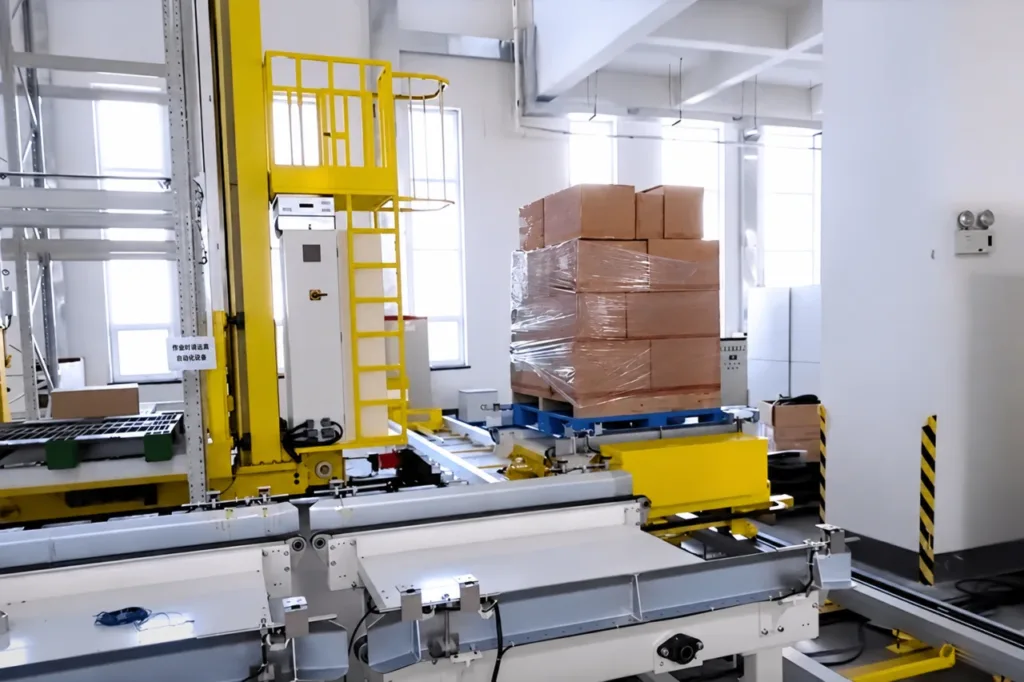
The transfer happens at the meeting point.
The blue pallet rests on the vehicle at the right; fixed handling equipment is alongside it. Deck level, load support across the gap and movement permission must be coordinated. The photograph shows the interface; the sequence below is a design example.
- 01
Reserve the receiving station
Confirm the load is ready, the destination can receive it and the required route is available.
- 02
Stop at the transfer point
Confirm vehicle position, docking and deck alignment before the transfer mechanism starts.
- 03
Move the supported load
Exchange permission with the fixed equipment. Coordinate conveyor direction and retain support while the load crosses the gap.
- 04
Confirm before departure
Confirm the load is fully transferred and the mechanism is clear. Complete the task before the vehicle leaves.
01What happens if the receiving station is occupied?
Define where the loaded vehicle waits, whether it can accept another task, and how the request is queued or cancelled. A blocked destination must be included in the operating plan; increasing travel speed will not remove that bottleneck.
From the terminals
to the station signals.
The PLC runs the sequence. Field devices provide position and load feedback; station controls confirm when the receiving equipment can move. Specify those connections before choosing the controller.
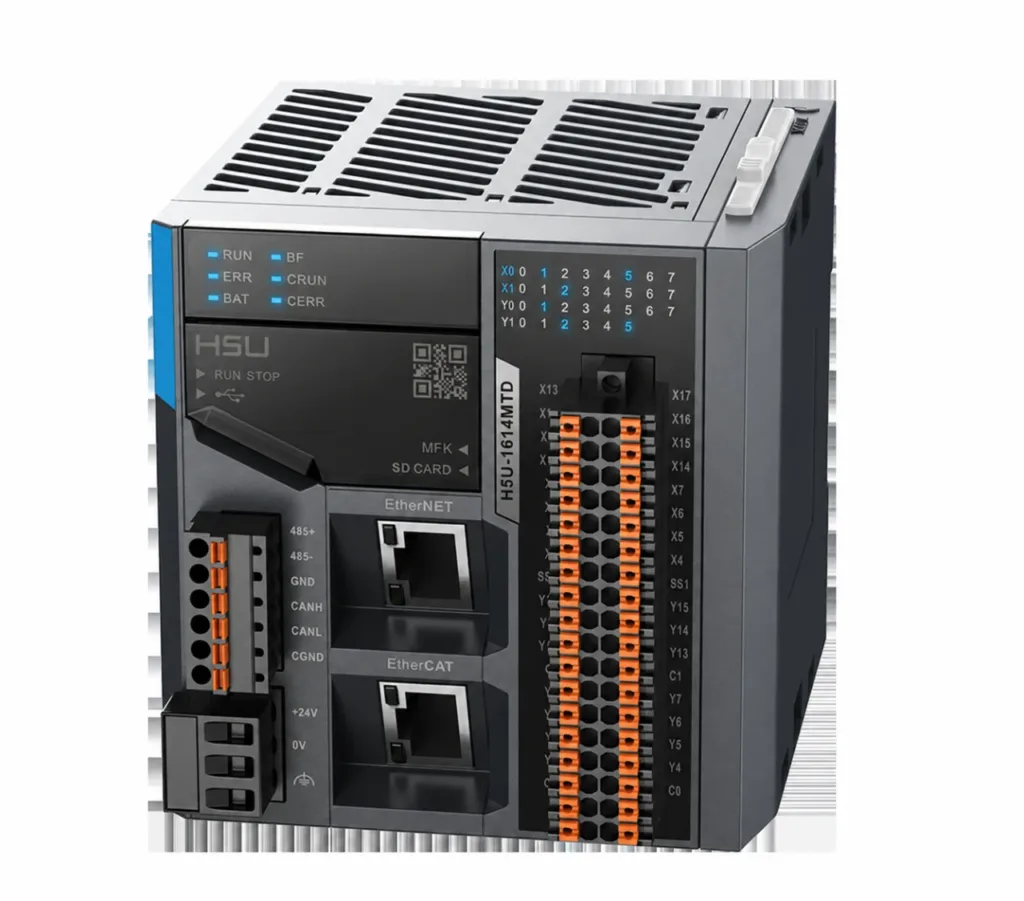
Give every input a job.
This compact H5U controller example shows status indicators at the top, I/O terminals on the right and Ethernet/EtherCAT ports at the front. Assign the station and vehicle signals, check module capacity and agree the actual network. The controller shown is a component reference; the project determines the fitted model.
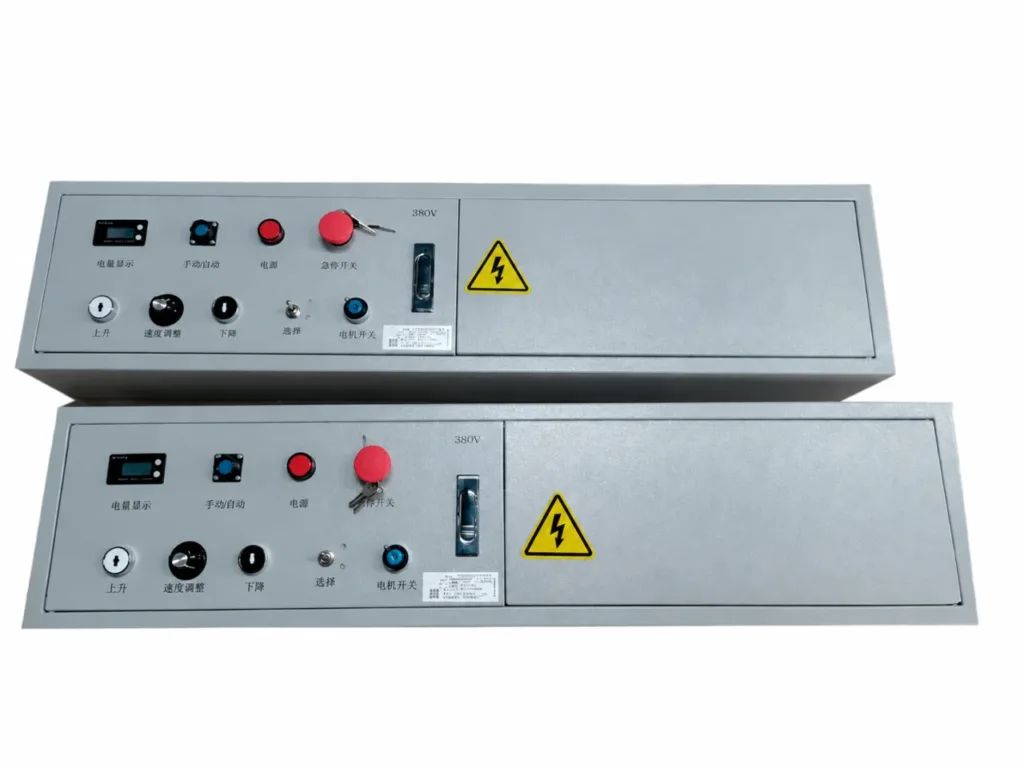
Keep operation and isolation clear.
These supplier control-box examples show physical switches, indicators, keyed controls and electrical warnings. Specify the required local operating mode, power isolation and fault indication. Where an HMI touchscreen is included, agree the station names, task status and recovery messages it must show.
| Position and docking | Working tolerance, reference points, loaded deflection and the conditions that allow transfer. |
|---|---|
| Load identity and presence | How the correct load is identified and how physical presence and transfer completion are confirmed. |
| Commands and feedback | Task request, accept/busy, permission, complete and fault states; signal ownership, timeout and acknowledgement. |
| Mode and restart | Automatic/manual selection, local intervention, retained task status and who can authorize a restart. |
01Can we specify Schneider Electric or Inovance controls?
Include the preferred PLC family, exact model, existing I/O and communication requirements, and the engineering software your maintenance team uses. Schneider Electric Modicon and Inovance are platform references, not a fixed bill of materials for every RGV. Agree the controller, drives, HMI and spare-parts scope in the proposal; protective functions require their own design.
02Does the RGV need WMS or MES integration?
A standalone station sequence may operate without a plant supervisory system. Where WMS, MES or another system assigns tasks, agree destinations, priorities, acknowledgements and task status with the controls team. Specify the protocol and network coverage, plus the response to a lost connection.
Size the system
around the whole cycle.
Loading, docking, waiting and empty return all affect output. Define the required trips and station demand before selecting travel speed or the number of vehicles.
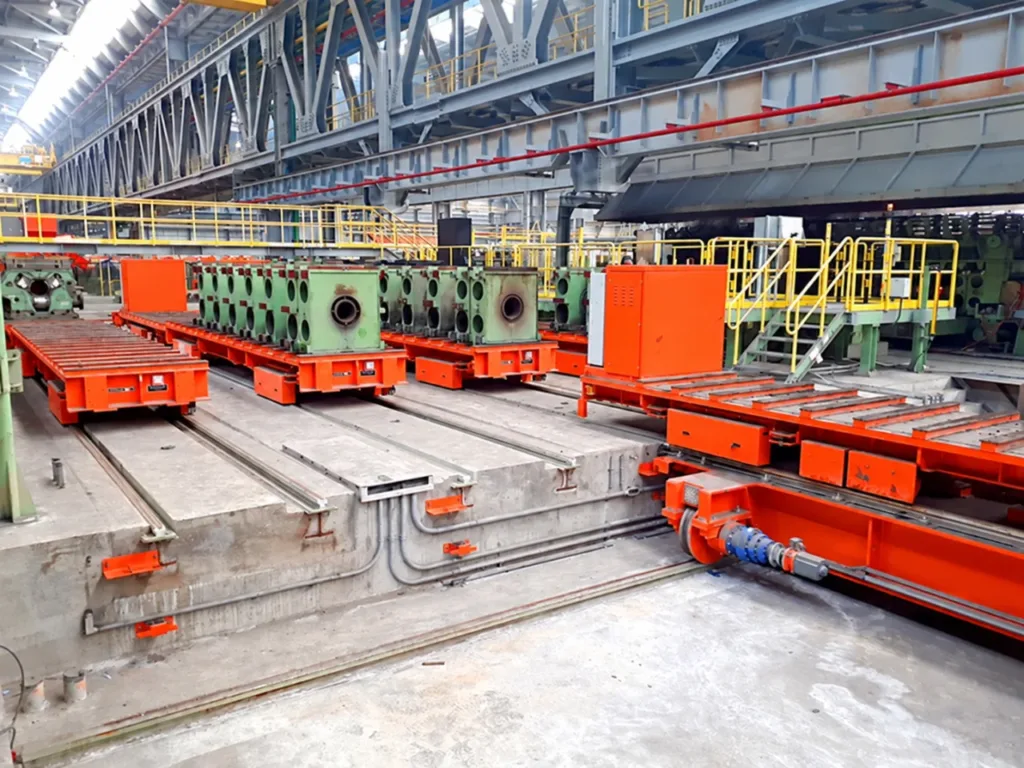
Different directions. One coordinated task.
This equipment example shows carriers on parallel rails and a perpendicular transfer arrangement. Include the carrier, its load, rail alignment and transfer permissions in the ferry interface.
| Station layout | Numbered loading and unloading points, rail lengths, straight or curved sections, crossings and access for maintenance. |
|---|---|
| Transport demand | Loads per hour and per shift, peak demand, loaded and empty trips, station dwell time and priorities. |
| Load and clearance | Maximum transported mass including fixtures, loaded envelope, centre of gravity, rail gauge and proposed installation levels. |
| Energy and availability | Battery charging or change windows, or the proposed trackside power arrangement; service access and planned downtime. |
01When do I need a loop, multiple vehicles or a ferry?
A linear shuttle can serve a defined sequence along one line. A loop may serve successive stations, while a ferry or turntable can connect rail directions or separate lines. Multiple vehicles need route occupancy and conflict handling. These arrangements require physical layout and control design; a software setting cannot change the installed track.
02What capacity, speed and positioning accuracy can I specify?
Start with the heaviest complete load, required output and station working tolerance. Ask for a proposal checked against the rail layout, load distribution, stopping conditions and duty. Agree how repeatability and cycle time will be measured under load. Catalogue ratings from different configurations are not a common specification.
Plan for the task
that cannot finish.
An occupied route, a missing signal or a load stopped between interfaces needs a defined response. Include operator access and recovery in the system design.
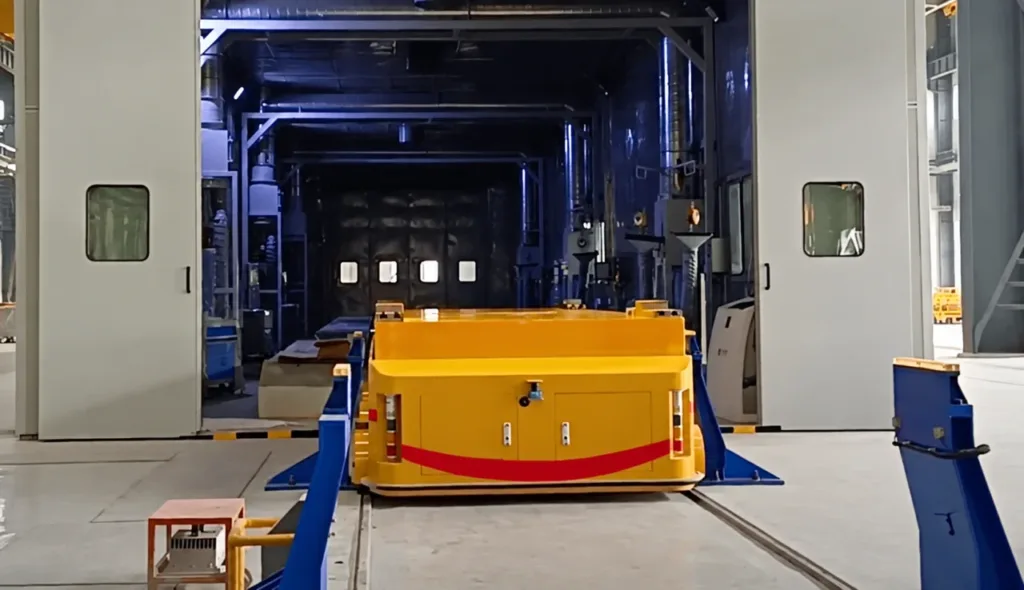
The doorway is part of the interface.
Check the complete opening and load envelope. Where doors or process equipment can move, agree their movement permissions, vehicle position feedback and access arrangements.
- 01
Define the held condition
For a blocked route, lost communication, power loss or emergency stop, specify the vehicle state and how a carried or partly transferred load remains supported.
- 02
Make the fault actionable
Show the station, task and condition preventing progress. Agree access, isolation and the authorized manual recovery method for the installed equipment.
- 03
Check before restarting
Confirm the actual load position, clear the interface and reconcile the task status. Define the deliberate restart process after intervention.
01Can an RGV share an aisle with people or forklifts?
That depends on the route and protective design. Identify pedestrian crossings, access gates, blind areas and stopping space. Agree separation, access control and any detection functions with the site risk assessment. A warning beacon or scanner alone does not define a complete protective system.
02What changes for hot loads or harsh environments?
Provide load and ambient temperatures, exposure time, dust, water, corrosion and any hazardous-area requirements. Review cables, sensors, power supply, protection and access against those conditions. A vehicle photographed beside a furnace is not a general high-temperature specification.
Test the load.
Test the handoff.
Agree what will be demonstrated at the factory and what must be completed with the installed stations. The vehicle and receiving equipment need a shared acceptance plan.
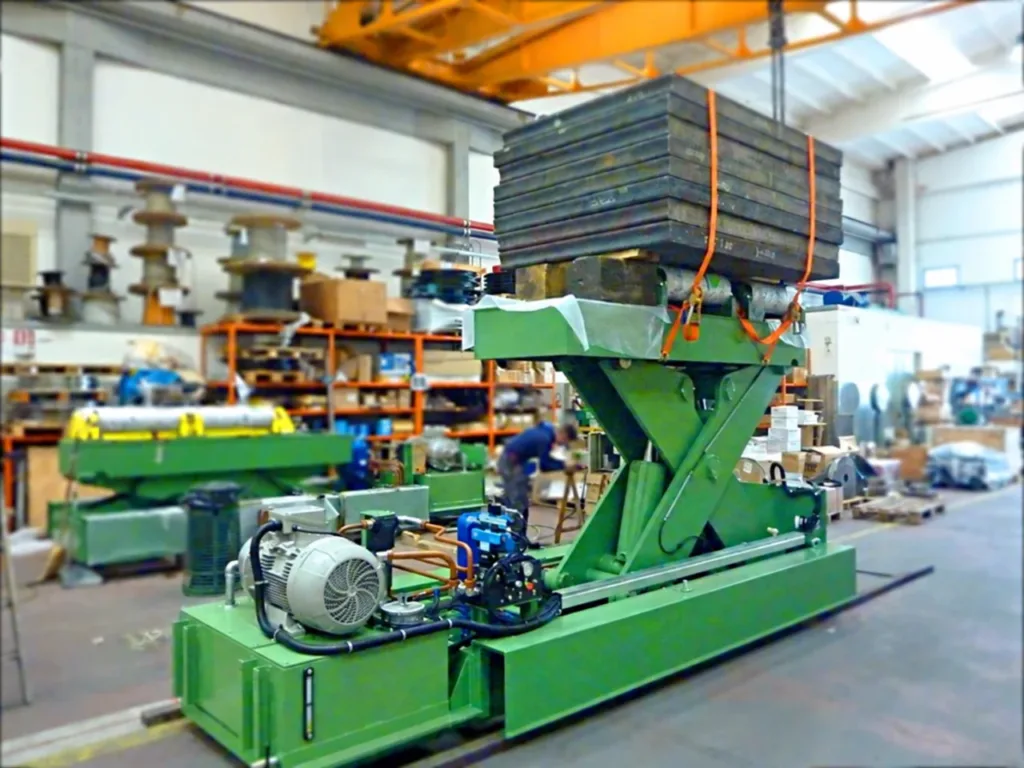
A lifting function under load.
Steel slabs act as test weights on this lifting coil car. The raised support, lift mechanism and hydraulic equipment are visible. This illustrates a loaded function test; it does not establish this project’s capacity or prove an integrated station cycle.
- 01
List the included equipment
Vehicle and load fixture, drives, brakes, controls, power or charging equipment, onboard functions and agreed spares.
- 02
Assign each connection
Rails and foundations, receiving equipment, electrical supply, network, gates and guarding, signal interfaces and installation support.
- 03
Make the system maintainable
Approved drawings, software and settings backup scope, operating and maintenance instructions, test records, training and service responsibilities.
01What is checked at the factory and on site?
The factory acceptance test (FAT) checks the agreed test load, vehicle functions, control sequence and fault handling, using station simulation where needed. The site acceptance test (SAT) completes trials on the installed rails with actual stations: transfer alignment, agreed cycle output, stopping arrangements and recovery. Record the test conditions, pass criteria and any deferred checks.
02Which certificates and technical documents are supplied?
State the destination and project documentation requirements in the enquiry. Agree the applicable conformity documentation and test records for the complete supplied scope, including responsibilities where equipment from several suppliers is combined. Do not assume that a vehicle certificate covers the integrated line.
Number the stations.
Describe the task.
Send a marked-up layout and photographs of the load and each handoff. Include the machine or controls contact when the RGV must connect to existing equipment.
Discuss an RGV system- Mass, dimensions, support points, load range, loading method, transfer height and station working tolerance.
- Numbered stations, route lengths, trips and peaks, waiting conditions, power provision and environment.
- Station functions, available control interfaces, recovery access, site responsibilities, destination and required documents.