
Crane Controls & Operator Interfaces
At the pendant.
Or in the cab.
Wired pendants, radio remote controls, cab consoles and electrical panels. Configure controls for a new crane or identify a matching replacement for existing equipment.
Four operator interfaces.
Different working positions.
Start with where the operator needs to stand or sit and which movements they must control. The electrical panel is a separate part of the same system.
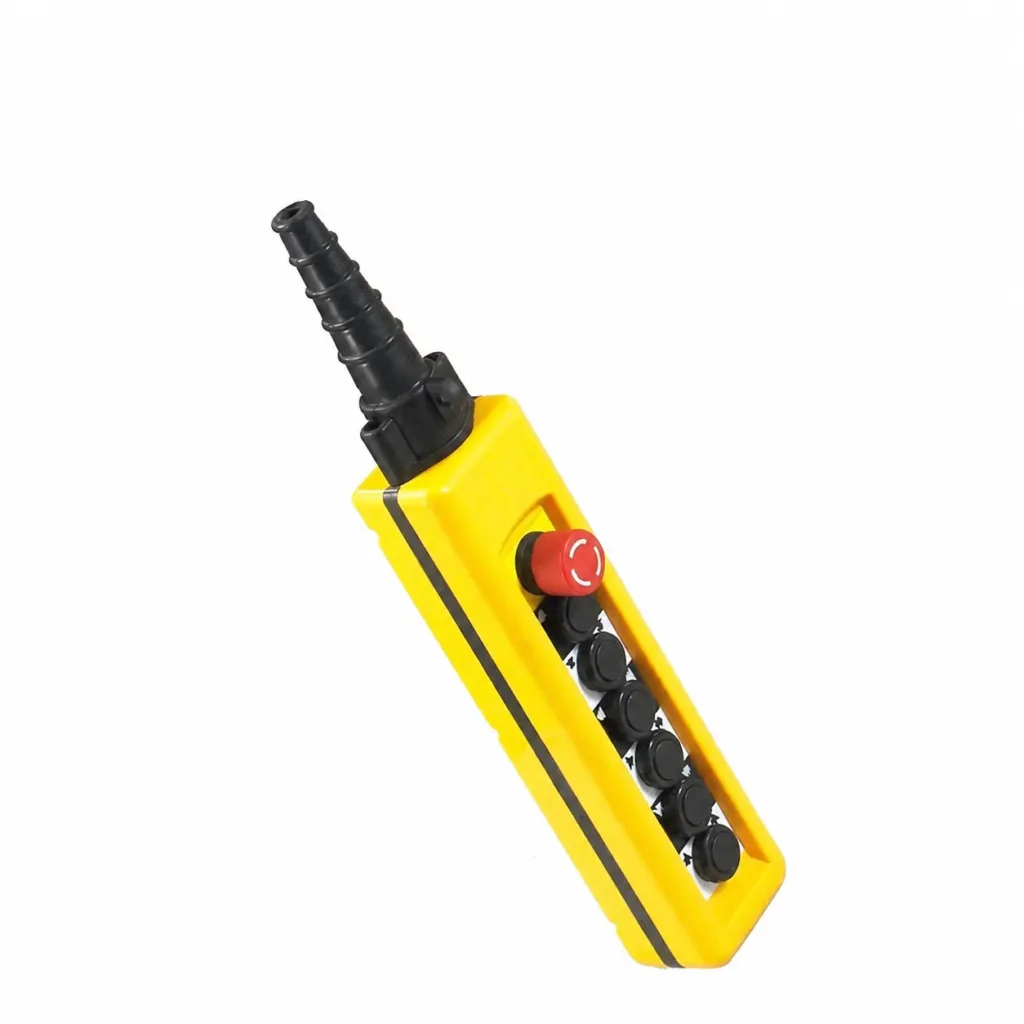
Wired pendants
Operate the hoist and crane through a suspended pushbutton station. The cable connects the pendant to the machine controls.
Options & supplied parts
- Match directional commands, single- or two-stage contacts, start/stop and selectors to the circuit. Button count alone is not enough.
- Pendant assembly, replacement buttons and contact blocks, cable and suspension arrangement. Confirm which parts are included.
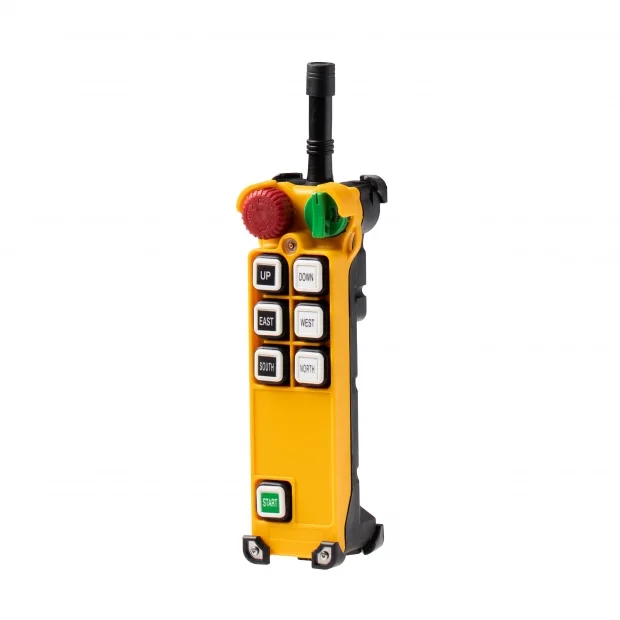
Push-button radio
Move between viewing positions without a pendant cable. The handheld transmitter works with a receiver installed on the machine.
Options & supplied parts
- Match the button stages and receiver outputs to the crane controls. Similar-looking transmitters can have different functions.
- A new radio set includes a transmitter and receiver. Replacement transmitters need the correct model, pairing and function configuration.
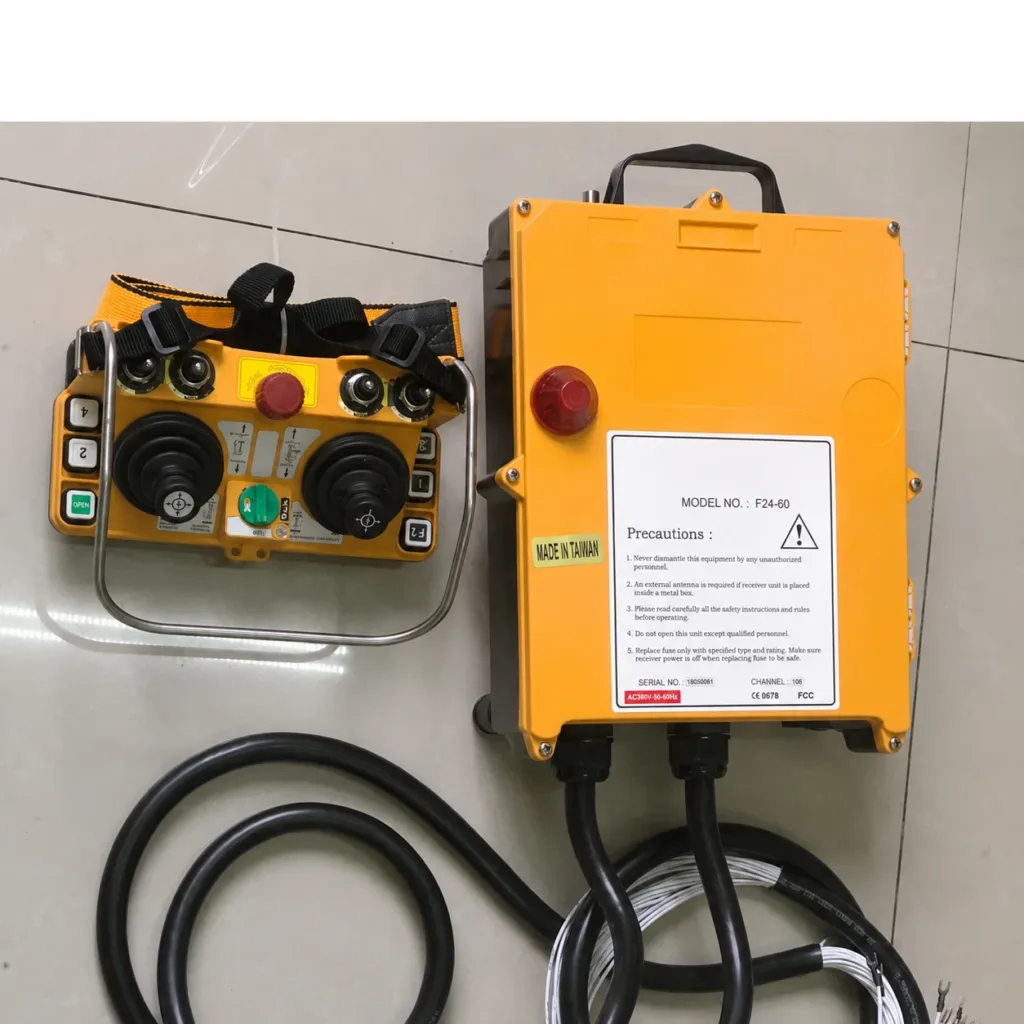
Joystick radio
Arrange several crane movements on a portable control unit. Joystick layout and switch functions are chosen around the operating task.
Options & supplied parts
- A joystick can provide discrete steps or proportional commands, depending on the model. Smooth variable-speed operation also needs a compatible receiver and drive.
- Selectors and, on suitable systems, load or machine-status displays can be specified. Confirm the required feedback and interfaces.
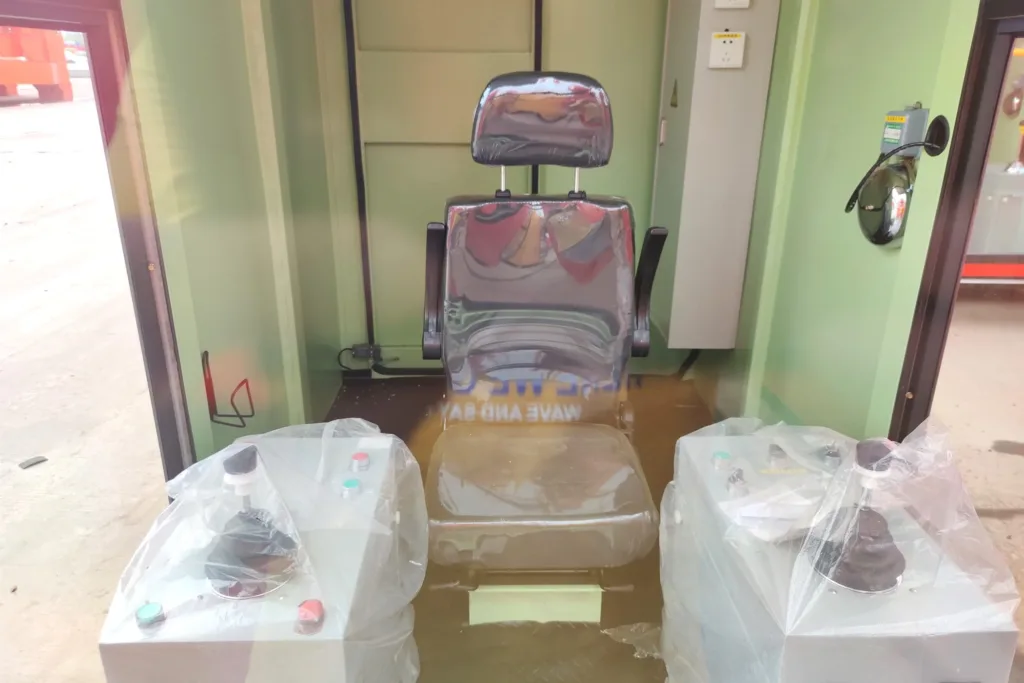
Cabins & consoles
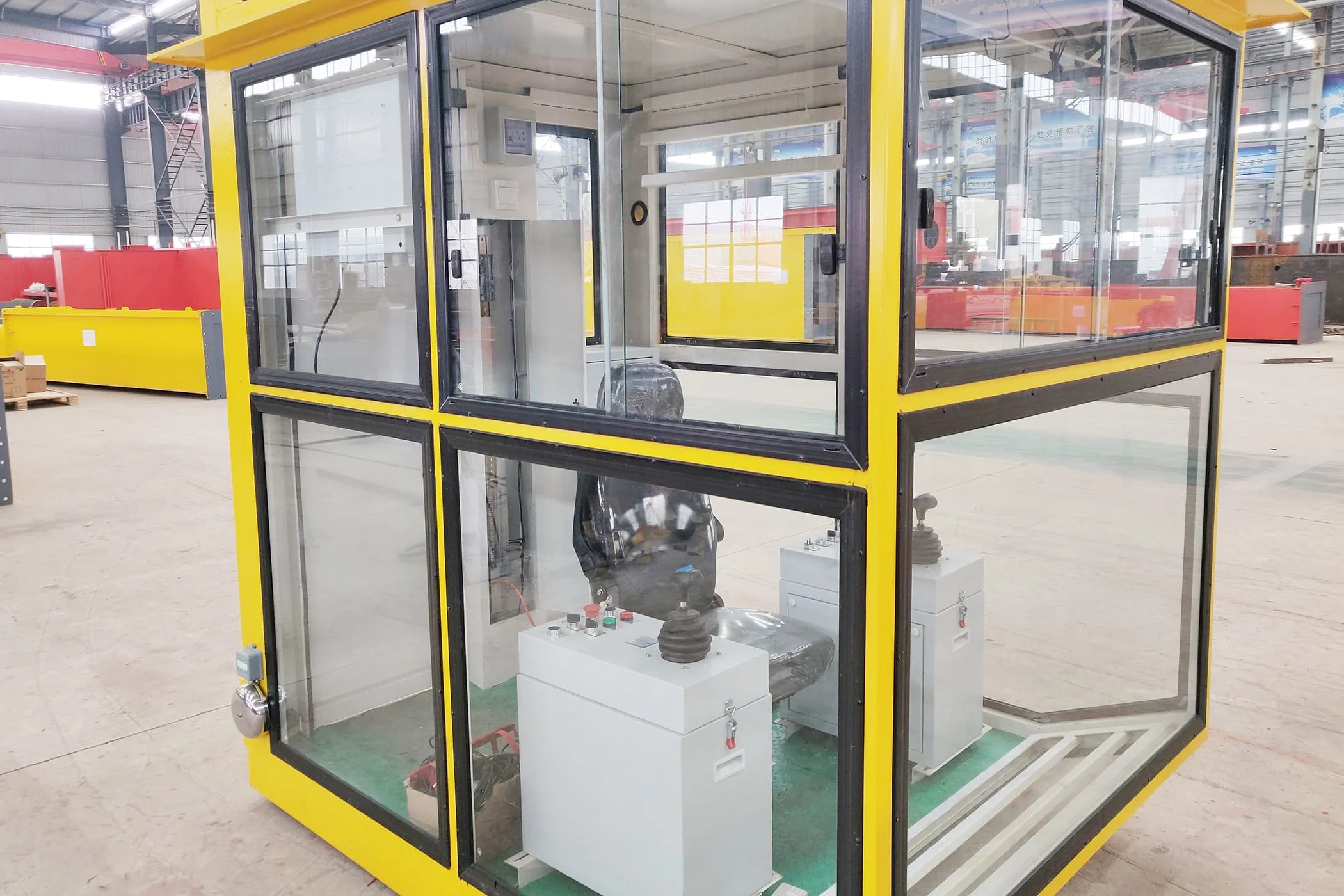
Combine a seated operating position with joysticks, switches and displays. A cabin adds an enclosure around that station.
Options & supplied parts
- Seat, left/right control consoles, switches and display layout. Confirm mounting, operator reach and the required movements.
- Glazing, access, mounting and optional ventilation or air conditioning. Agree whether the enclosure, console, wiring and access platform are included.
The operator gives the command.
The panel controls the motion.
The pendant, receiver or console connects to the machine controls. A new operating device must match those circuits and the functions of the crane.
01One mechanism or a complete crane panel?
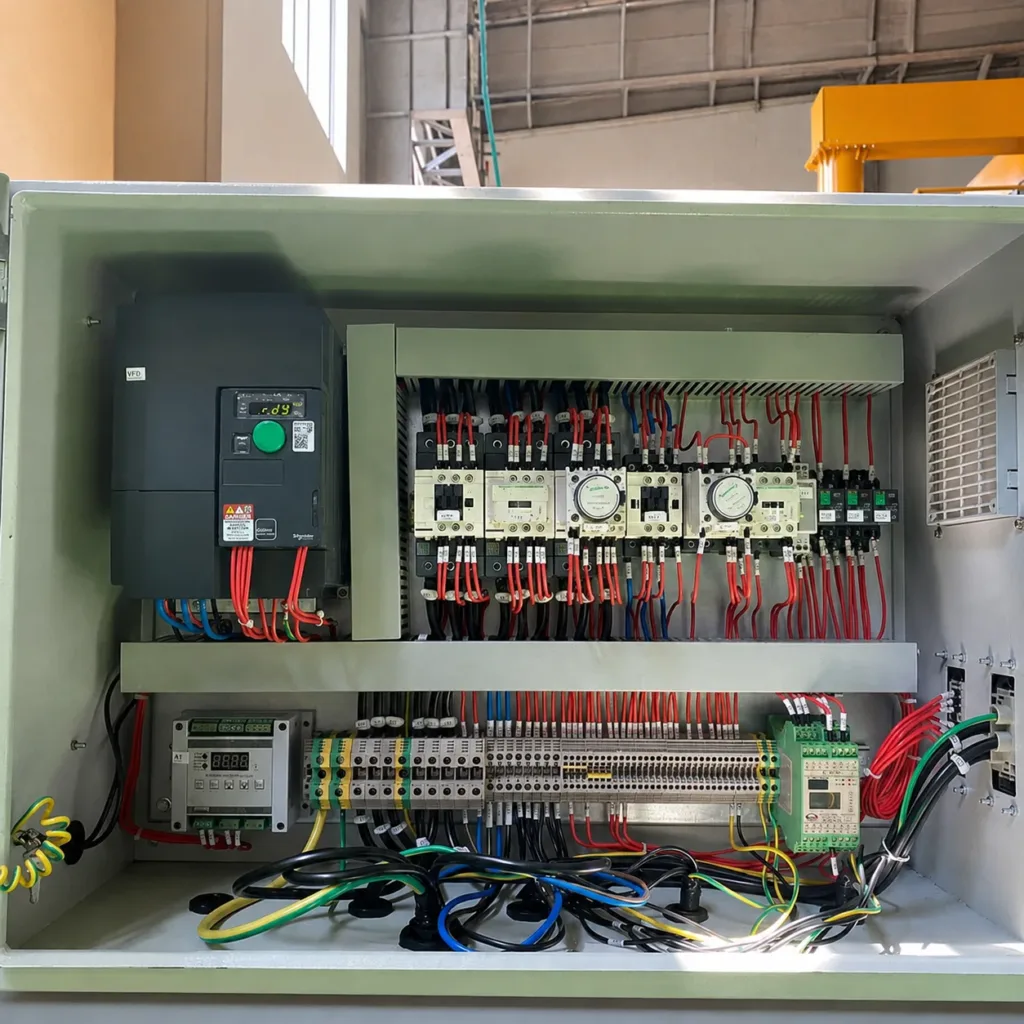
Supply can cover bridge travel, a hoist/trolley or the complete crane. Define the motors and drives included, the operator controls and the external connections. Existing motors or drives may be retained after their interfaces are checked.
02What should be checked before delivery?
Agree the circuit drawings, terminal list and function schedule. Factory checks should verify the supplied panel and control functions against that scope; final operation with the installed crane and its protection circuits must also be checked on site.
Put the operator
where the task needs them.
The useful difference is often visibility, mobility or time at the controls. These real equipment examples show two distinct operating situations.
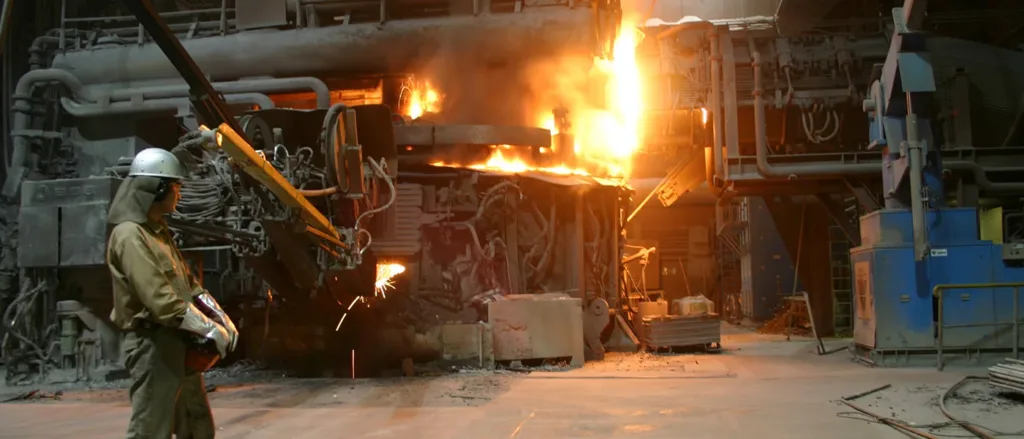
Change the viewing position
Radio control lets the operator change position without taking a pendant cable along. Plan the working area around a clear view of the load, people and machine movement.
Environment & operating needs
- Heat, dust, gloves and the required commands affect the controller and accessories. This is an industrial radio-use example, not a claim that one controller suits every hot-process crane.
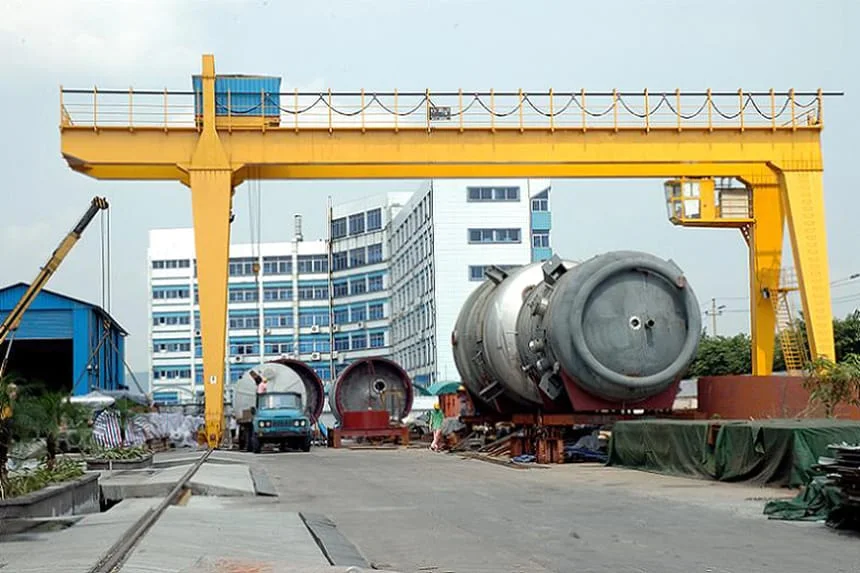
A seated view of the work
A crane-mounted cabin provides a dedicated operating position. Check the view at pickup and placement, access to the cab and the space for its mounting.
Cabin & console requirements
- Outdoor exposure, visibility, ventilation and time spent operating affect the enclosure and console layout. A cabin does not eliminate blind spots; describe the actual load and working route.
01For a local hoist or workstation
A wired pendant can suit a defined working area where its cable and suspension allow the operator to reach a useful viewing position. Specify the lift height and cable route as well as the button functions.
Replacing one device?
Or changing the system?
Start with what you want to retain. A new transmitter, a complete radio set and a new control panel are different supply tasks.
01Can I replace only the transmitter?
Often, but the receiver must be identified first. Send both nameplates, photos of the controls and the original model information. Matching the housing or radio frequency alone does not establish compatibility.
02Can we add radio and keep the pendant?
This can be considered with a defined control-selection arrangement. The two interfaces must not issue conflicting commands. The electrical design must cover command priority, stop functions and switching between operating modes.
03Does a joystick provide stepless speed control?
Not automatically. Some joysticks send discrete speed steps; others provide proportional commands. Confirm the transmitter, receiver output and crane drive configuration together.
04Can one controller operate two hoists or cranes?
Selection or combined commands are available on suitable systems. They do not by themselves provide synchronized position or load sharing. Define independent and combined movements before choosing the control equipment.
Need positioning or automation?
Explore operator assistance, coordinated movements and automatic cycles for new or existing cranes.
Explore crane automationStart with photos.
And the movements you need.
Send the available information, quantity and destination. We can review the equipment scope and identify the details needed for a proposal.
Discuss crane controls- Transmitter, receiver, pendant or panel nameplates; available wiring diagrams.
- Movements, speed stages, selectors and any new functions.
- Operator position, indoor/outdoor use and environmental conditions.